Airbnb Listing Status Flow
The Problem
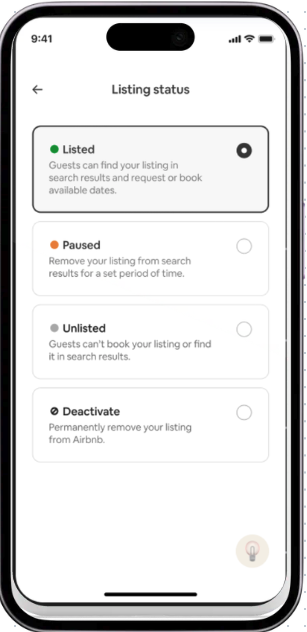
As part of an upcoming launch, we redesigned the Manage Your Space experience, which is the tool hosts use to manage their Airbnb listings.
Our goal was to simplify the listing status experience so hosts could more easily adjust their listing's availability and confidently make it bookable for guests.
The existing experience was outdated and often left hosts unsure of the differences between statuses like paused and unlisted.
On top of that, there was little friction with deactivating a listing, making it too easy for hosts to take an action they didn't intend.
Research findings
As a first step, I worked with my research partner to understand host pain points. We learned that hosts naturally referred to unlisted as paused, suggesting a mismatch between the product's terminology and users' mental models.
Hosts were also confused that unlisted could mean either temporarily unlisting for specific dates or indefinitely, and many assumed that setting unlisted dates was required, when it was actually optional.
1st iteration
Based on those findings, my design partner and I simplified the experience by reducing 4 listing statuses to 2.
We also separated deactivate listing from listed and unlisted, since deactivation isn't a listing status, it’s a high-impact action that warranted additional friction. Finally, I rewrote the status descriptions to clearly explain each option and to help hosts choose the right one with confidence.
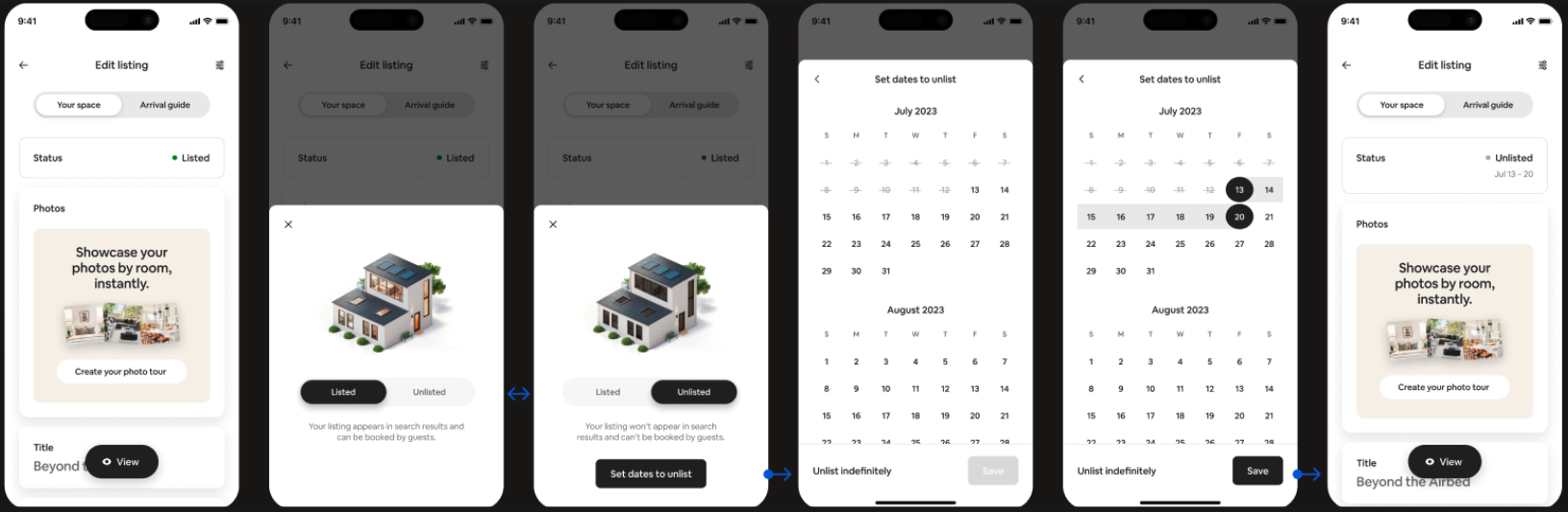
2nd iteration
Based on additional feedback from the design and writing teams, we refined both the content and interaction model.
I introduced the term pause in the Unlisted description to align with the language hosts naturally use, making the status easier to recognize. We also replaced the toggle with two side-by-side buttons, allowing hosts to compare both options and their definitions at a glance before making a choice.
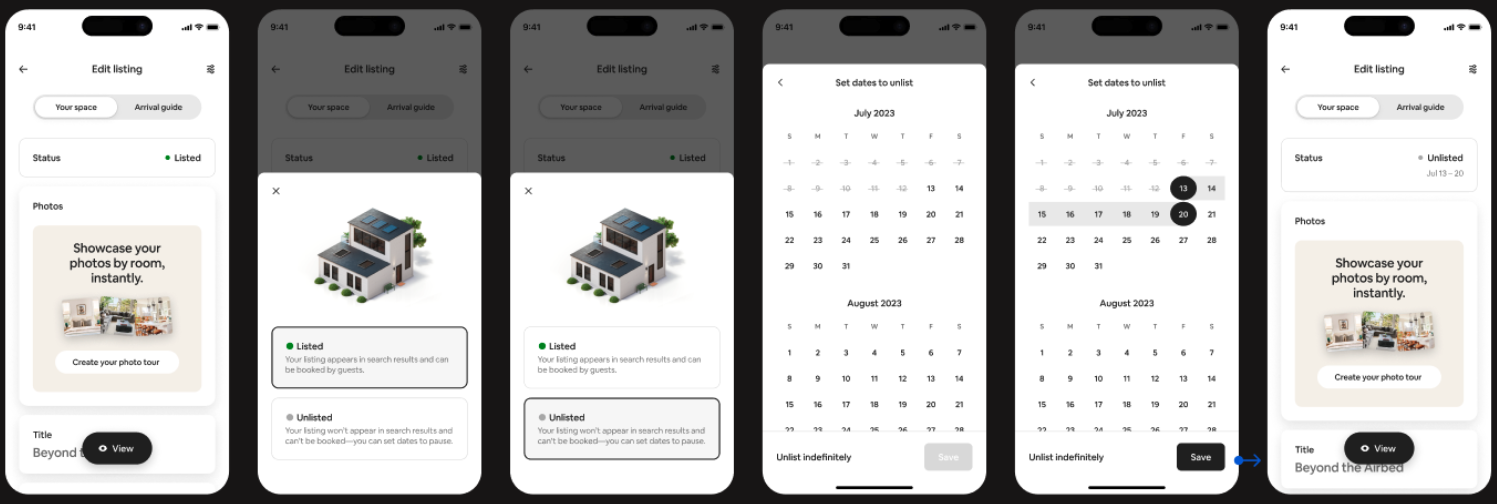
A closer look at copy iterations
Here’s a closer look at how the copy and design evolved, and the thought behind each iteration.
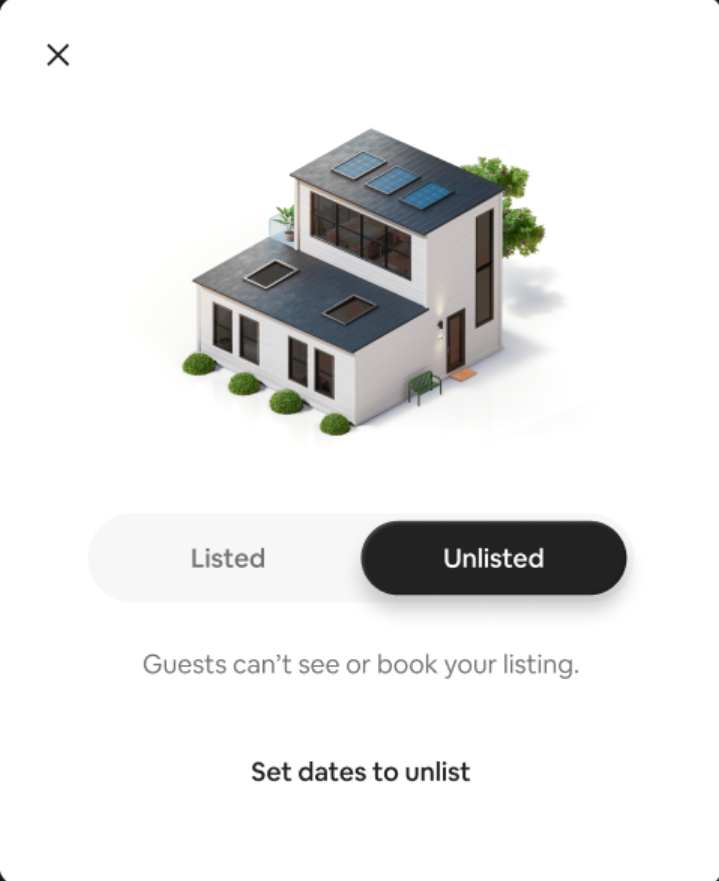
Option 1
The language here is simple, but inaccurate (in some cases guests might be able to see the listing even if its unlisted.)
“Set dates to unlist” feels like a mandatory step, but it’s actually optional.
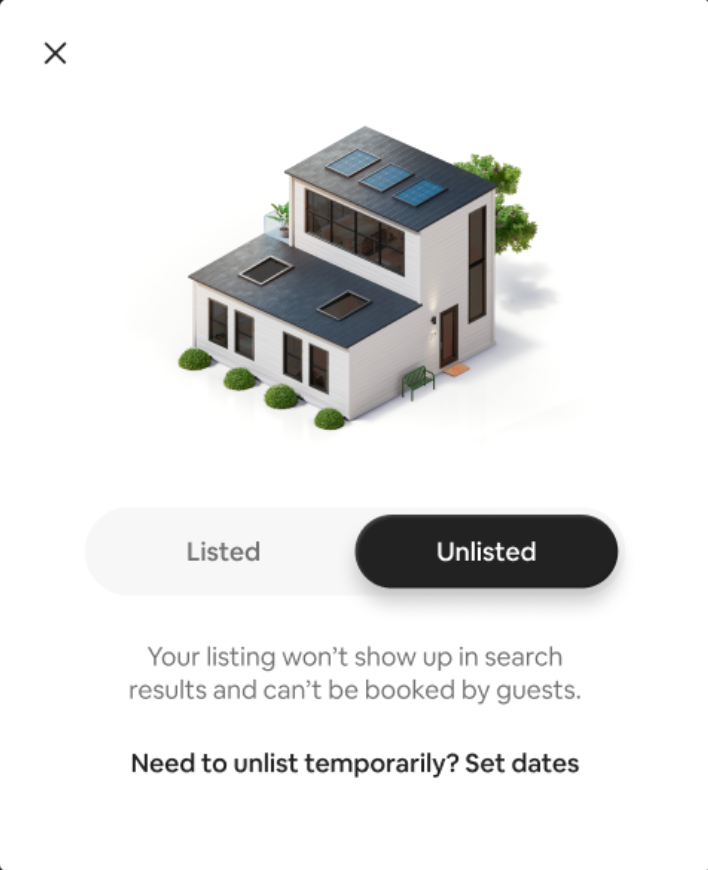
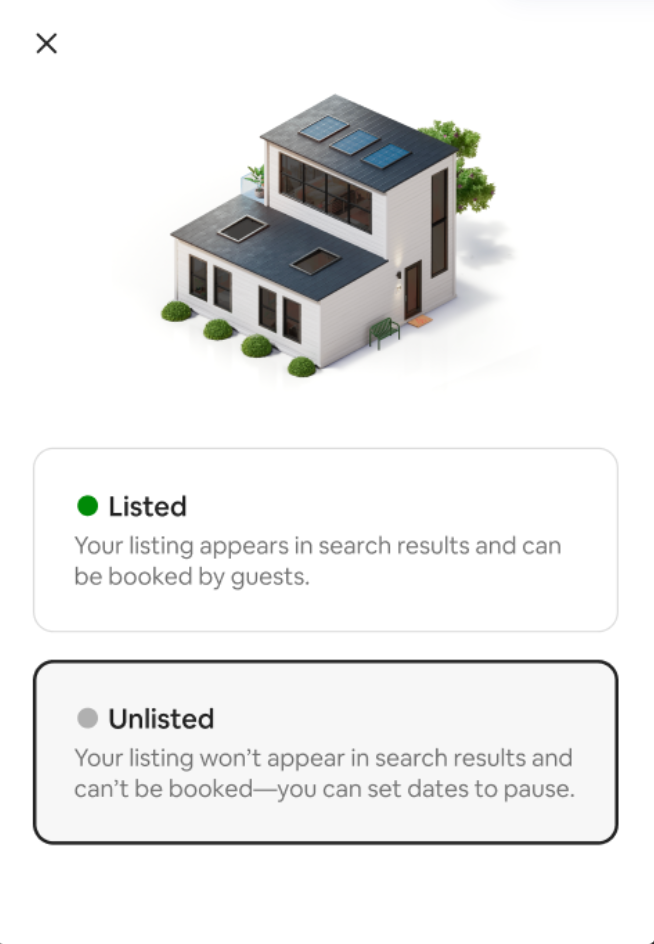
Option 2
Hosts associate pause with Unlisted. How can we weave that into the copy?
Leadership didn’t like how formal “temporarily” sounded.
The version we landed on
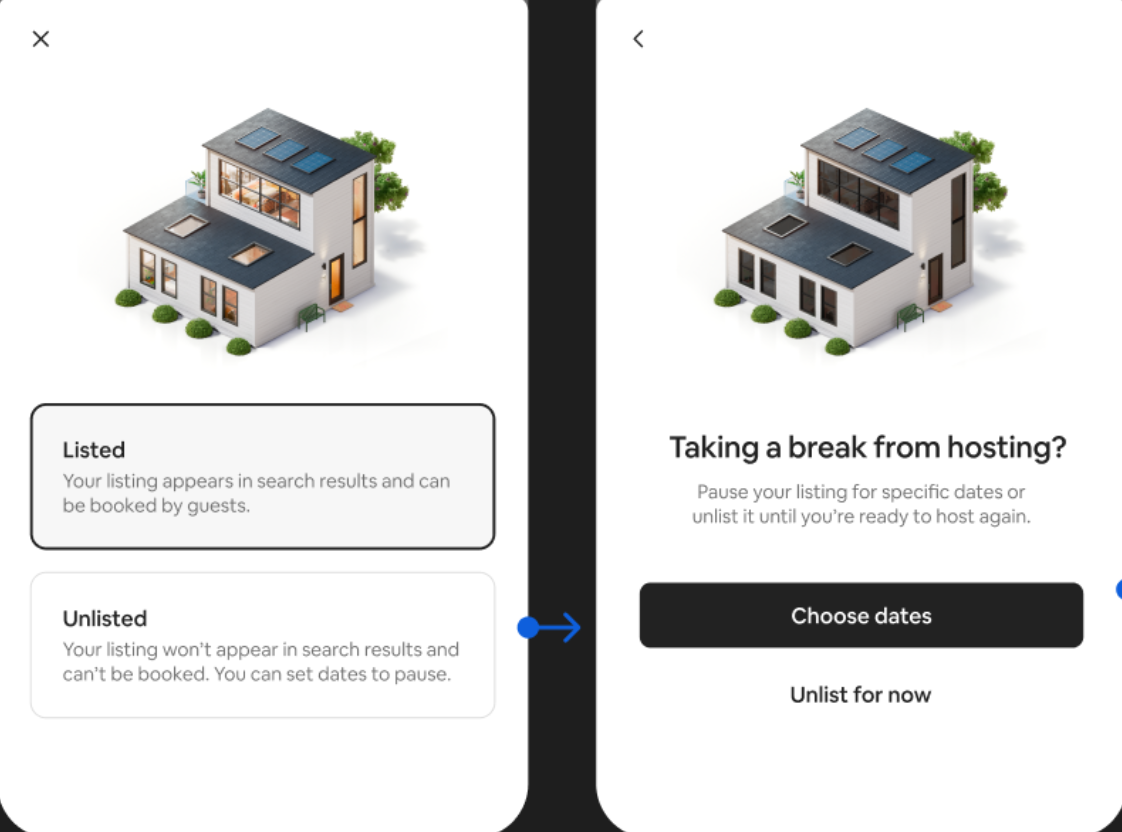
Option 3
This introduces the idea of pausing temporarily, which tees up the next screen (a calendar to set dates).
It also weaves in the word pause, to mirror the language that already hosts use when referring to the unlisted state.
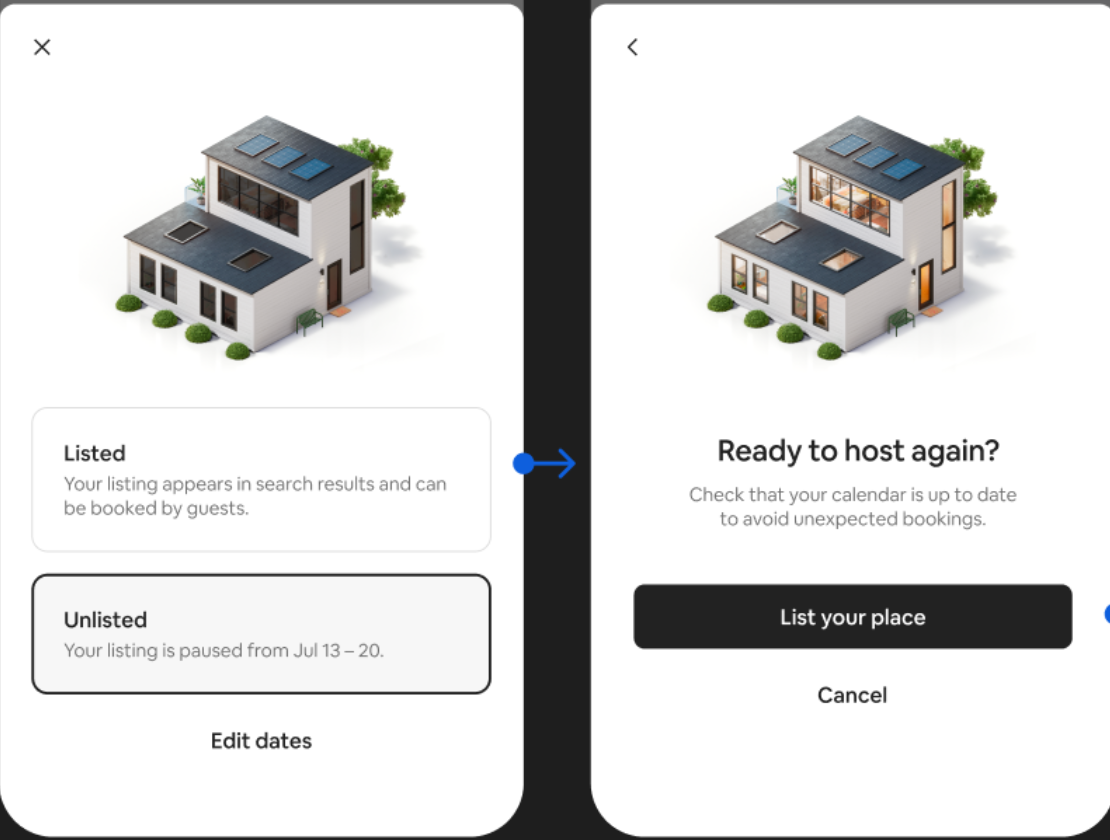
We kept the definitions of Listed and Unlisted simple and straightforward, then shifted to more conversational language in the following screens—like “Taking a break from hosting?” and “Ready to host again”—to make the experience feel more human and approachable.
We also introduced a subtle animation where lights turn on when Listed is selected. While not captured in the static screens, it added a small moment of delight to an otherwise functional flow